
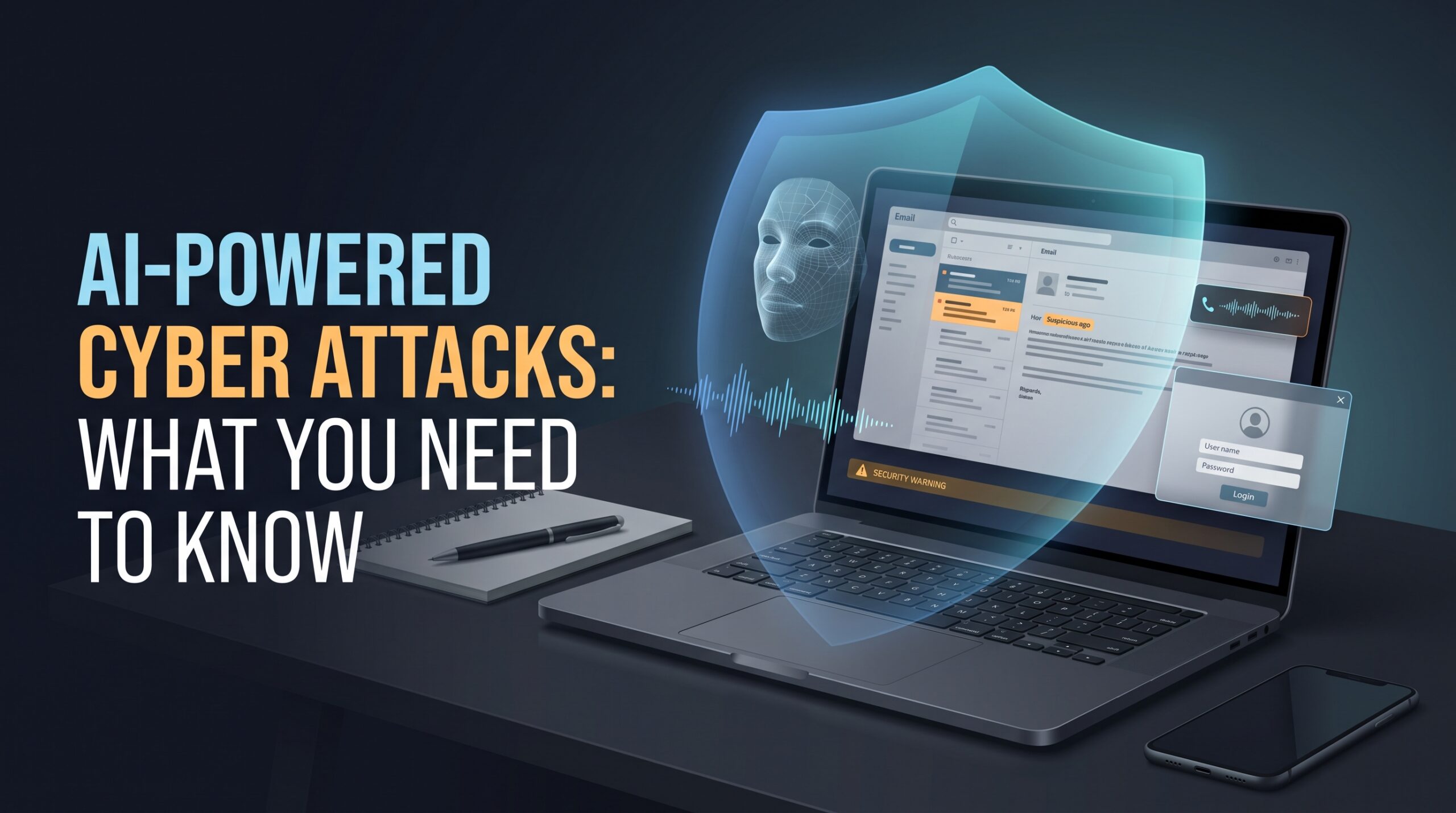
A video call with your manager looks completely normal. The face is familiar, the voice sounds right, and the request seems urgent: transfer money to a new account before the end of the day. You follow the instructions, only to discover later that the person on the call was an impersonator.
This is one of the reasons AI-powered cyber attacks deserve attention. Criminals can now use artificial intelligence to create convincing messages, imitate voices, generate fake videos, and assist with technical parts of cybercrime. Some of these techniques have already appeared in documented fraud investigations.
You don’t need to run a large company to be a target, either. Students, job seekers, online shoppers, employees, and small business owners can all encounter AI-assisted scams. Knowing how these attacks work makes it easier to recognize suspicious requests and protect your accounts before something goes wrong.
What Are AI-Powered Cyber Attacks?
AI-powered cyber attacks are cybercrime activities in which attackers use artificial intelligence to improve deception, research targets, assist with malicious software, or automate parts of an operation.
Most of the underlying crimes aren’t new. Phishing emails, stolen passwords, fraudulent payment requests, and malware existed long before generative AI became widely available. What’s changing is how easily criminals can personalize their messages, imitate trusted people, and carry out certain tasks at scale.
Consider a traditional phishing email that claims your bank account has been restricted. It might contain awkward wording, an unfamiliar greeting, or obvious spelling mistakes. An AI-assisted version could use fluent language, address you by name, and imitate the tone of a legitimate customer service message.
The result can be harder to recognize at first glance.
It’s also worth distinguishing between two different situations: attackers using AI against people and computer systems, and attackers targeting AI systems themselves. The second category includes techniques such as prompt injection, where malicious instructions attempt to manipulate an AI application into doing something it shouldn’t.
For most internet users, though, the immediate concern is more straightforward: a message, voice, or video that looks convincing can still be part of a scam.
Common Types of AI-Powered Cyber Attacks
AI doesn’t make every cyber attack more sophisticated, and not every scam involves artificial intelligence. Still, several types of threats deserve particular attention.
1. AI Phishing Attacks
Phishing is one of the most familiar forms of online fraud. An attacker pretends to represent a trusted person or organization and tries to persuade the recipient to click a link, share confidential information, or make a payment.
AI phishing attacks can make that deception more convincing. Criminals may use generative AI to write professional emails, translate messages into different languages, or tailor a request to someone’s job or interests.
Imagine receiving an email that appears to come from your company’s IT department. It explains that your account needs an urgent security update and provides a link to sign in. The message is grammatically correct, uses familiar terminology, and looks entirely reasonable.
The danger lies in what happens after you click the link. A fake login page could capture your credentials, allowing an attacker to attempt access to your account.
Google’s threat intelligence research has documented threat actors using its AI tools to assist with phishing-related activities, including crafting and translating deceptive material. That doesn’t mean every polished email was generated by AI, but it shows why grammar alone is no longer a reliable security test.
2. Deepfake Voice and Video Scams
Deepfake technology can create or manipulate audio and video to make someone appear to say or do something they never did. When criminals use these techniques to impersonate a trusted person, the consequences can include financial fraud and account compromise.
One widely reported example involved engineering firm Arup. In 2024, the company confirmed that an employee in Hong Kong had been deceived during a video conference involving fake representations of colleagues. The fraud resulted in transfers totaling approximately HK$200 million.
The incident illustrates an uncomfortable reality: seeing a familiar face on a screen doesn’t guarantee that you’re speaking to the real person.
Voice cloning creates similar risks. A scammer might imitate a family member who supposedly needs emergency money, or a senior employee requesting an urgent payment. A convincing voice can make people react emotionally before they have time to question the situation.
The safest response is to verify the request independently. Call the person using a number you already trust, follow your organization’s approval process, or agree on a separate identity-verification method before sending money.
3. AI-Assisted Malware and Malicious Software
Malware is software designed to perform harmful actions, such as stealing information, disrupting systems, or giving an attacker unauthorized access.
AI can assist criminals with writing or modifying code, understanding unfamiliar technologies, and troubleshooting parts of a malicious operation. Some reported malware has also used language models during execution rather than relying entirely on instructions written in advance.
Google’s threat intelligence team documented examples of malware using a large language model to generate commands during execution. Its research also described other projects as experimental, making it important to distinguish demonstrated capabilities from concepts that haven’t been shown to work in real attacks.
For ordinary users, the practical risk often begins with an apparently harmless download. A fake job recruiter might ask you to install an interview application, or a fraudulent technical support representative might tell you to download a tool to fix your computer.
The file could contain malware that attempts to steal data or compromise the device.
Download software from official websites or trusted app stores, be cautious when strangers ask you to install unfamiliar programs, and keep your operating system and applications updated.
4. Automated Vulnerability Discovery
Every website, application, and online service has a technical environment that needs to be maintained. Unpatched software, weak configurations, and coding mistakes can leave openings that attackers may try to exploit.
AI tools can assist with analyzing code, reviewing technical information, and identifying possible weaknesses. Those same capabilities can support legitimate security teams, but they can also help attackers investigate systems more efficiently.
In November 2025, Anthropic described an espionage campaign in which its investigation found that an attacker used Claude Code to assist with multiple stages of intrusion activity. The company reported that approximately 30 organizations were targeted and that a small number were successfully infiltrated.
This was a specific investigation, not proof that all attackers now operate fully autonomous cyber operations.
For website owners and businesses, the practical lesson is to keep software updated, prioritize known exploited vulnerabilities, review access permissions, and monitor systems for unusual activity. Security maintenance remains necessary even when the tools used by attackers change.
5. Credential Theft and Identity Impersonation
Your email account, social media profiles, cloud storage, and work accounts may contain information that criminals can use to impersonate you or gain access to other services.
AI-assisted scams can make credential theft more persuasive. An attacker might create a realistic account recovery message, imitate a company’s support team, or use personal details to make a request appear legitimate.
For example, a student applying for a remote internship might receive a message that appears to come from a recruiter. After a short conversation, the supposed recruiter asks the student to sign in through a link to complete an application.
The website may actually be designed to steal the student’s password.
Credential theft itself isn’t new, and automated password attacks existed before generative AI. The important distinction is that AI may strengthen the deception surrounding an attack, while conventional methods still carry out the actual account compromise.
Use unique passwords, protect important accounts with multifactor authentication, and never share verification codes with someone who contacts you unexpectedly.
6. Fake Websites and AI-Generated Support Scams
A fraudulent website doesn’t need advanced technology to cause damage. It only needs to look trustworthy enough to persuade someone to hand over money or sensitive information.
AI can help scammers produce convincing website copy, create fake profiles, and maintain realistic conversations with potential victims. A fake support representative might claim there’s a problem with your bank account, shopping order, or computer and guide you toward a fraudulent payment page.
Suppose someone contacts you claiming to be from your bank. They explain that suspicious activity has been detected and ask you to share a one-time verification code to secure your account.
The message may sound professional, and the caller may even know some details about you. Neither fact makes the request legitimate.
Never disclose a verification code to an unsolicited caller. End the conversation and contact the bank through its official app, website, or a trusted phone number.
Real-World Evidence: What Do the Numbers Tell Us?
Cybersecurity statistics can help explain the scale of online crime, but it’s important to read them carefully. Figures covering all cybercrime shouldn’t be presented as losses caused exclusively by artificial intelligence.
According to the FBI’s Internet Crime Complaint Center (IC3), its 2025 annual report recorded 1,008,597 complaints and approximately $20.88 billion in reported losses. The report also recorded 22,364 complaints tagged as AI-related, with approximately $893.35 million in adjusted losses.
These figures come from complaints submitted to the FBI’s reporting system, including submissions from outside the United States. They aren’t a complete count of every incident worldwide, and the AI-related label doesn’t establish that AI independently caused every reported loss.
The same report recorded approximately $3.05 billion in losses associated with business email compromise. These scams often involve criminals impersonating executives, suppliers, or other trusted contacts to redirect payments.
The figure shouldn’t be attributed entirely to AI. Traditional impersonation and payment fraud remain significant threats on their own.
What can we reasonably conclude? AI-related fraud is appearing in official complaint data, and security researchers have documented real cases of AI-assisted cybercrime. The exact global share of cyber attacks powered by AI, however, remains difficult to establish from these sources.
For readers, the more useful question is not whether every scam uses AI. It’s whether a request contains warning signs that should be checked before taking action.
Who Is Most at Risk?
AI-powered cyber attacks can affect different people in different ways. The details vary, but many incidents depend on the same basic weaknesses: misplaced trust, pressure to act quickly, or inadequate verification.
Everyday internet users may encounter fake investment promotions, bank impersonation, fraudulent online shops, or calls that appear to come from family members. The goal is often to obtain money, account access, or personal information.
Students and job seekers may be targeted through fake recruitment messages, scholarship offers, interview invitations, or requests to install unfamiliar software. A convincing opportunity can make a suspicious request feel worth the risk.
Small businesses and startups face particular exposure to payment diversion. A criminal might impersonate a supplier and request a change to bank details, or pretend to be a manager who needs an urgent transfer approved.
Large organizations may face targeted phishing, help-desk impersonation, credential theft, and attempts to exploit vulnerable systems. Even well-funded security teams need reliable processes for verifying identities and managing access.
Banks, e-commerce companies, and online service providers also have to consider account recovery abuse, fraudulent identities, and customer-support impersonation.
None of these groups is automatically a victim simply because AI exists. Risk depends on the situation, the information available to attackers, and the security measures in place.
Warning Signs of an AI-Powered Cyber Attack
It can be tempting to search for visual glitches in a deepfake or grammatical mistakes in a suspicious email. Those clues may sometimes be useful, but they aren’t dependable enough to protect you on their own.
A better approach is to examine the request itself.
Be cautious when a message or caller asks you to:
- Transfer money urgently or change a payment destination.
- Share passwords, one-time codes, or account recovery details.
- Approve a sign-in you didn’t initiate.
- Open an unexpected attachment or install unfamiliar software.
- Keep a conversation secret or bypass normal approval procedures.
- Click a link to resolve a problem you weren’t previously aware of.
- Move to an unfamiliar messaging platform to continue a supposedly official conversation.
Pressure is a particularly useful warning sign. Scammers often try to prevent people from checking details by creating fear, urgency, or excitement.
A message claiming your account will be permanently closed in ten minutes deserves scrutiny, even if it uses your correct name and contains no spelling errors.
The same applies to a video call from someone who appears to be your manager. If the person asks you to bypass financial controls, verify the request through an established channel before acting.
Remember: a familiar voice, professional writing style, caller ID, or realistic video is not sufficient proof of identity.
How to Protect Yourself From AI Cyber Attacks
You don’t need to become a cybersecurity expert to reduce your exposure. A few consistent habits can prevent many common account compromises and make scams harder to carry out.
Secure your accounts first
Start with your email account because it can often be used to reset passwords for other services. Use a unique password, enable multifactor authentication, and review the recovery options associated with the account.
Where available, passkeys or phishing-resistant multifactor authentication provide stronger protection against deceptive sign-in pages than passwords alone. A password manager also makes it easier to avoid reusing credentials across different websites.
Keep your operating system, browser, and applications updated. Security updates frequently address weaknesses that attackers may try to exploit.
Verify unusual requests independently
If a manager asks you to transfer money, contact them through a separate, established channel. If a family member calls with an emergency, hang up and call their usual number. If a bank sends a suspicious warning, open its official app rather than following the link in the message.
This simple habit addresses one of the biggest risks created by convincing impersonation: the assumption that something is genuine because it looks or sounds familiar.
Be careful with downloads and personal information
Treat unexpected requests to install software with caution, particularly during job interviews, technical support conversations, or financial transactions.
Avoid sharing sensitive personal information with unverified contacts. Public details can sometimes help criminals personalize a scam, so think carefully before posting information that could be used to impersonate you or answer account recovery questions.
Security software can help detect certain threats, but it cannot reliably determine whether every payment request, caller, or online opportunity is legitimate.
Businesses need clear verification procedures
Organizations should establish rules for approving payments, changing supplier bank details, resetting accounts, and granting access to sensitive systems.
For example, a finance employee receiving an urgent payment request should verify it with the authorized person through a known contact method. Large transfers can require approval from a second authorized employee.
Businesses should also restrict access according to job responsibilities, patch vulnerable systems, monitor suspicious activity, and maintain backups that can be recovered after an incident.
Employee training should cover voice calls, video meetings, messaging apps, and fake support conversations—not just suspicious emails.
These procedures may seem routine, but they make it harder for an impersonator to succeed even when the deception is convincing.
What Should You Do If You Fall for a Scam?
A mistake doesn’t mean you’re careless. Some scams are designed to create intense pressure, and realistic impersonation can catch people off guard.
The important thing is to act quickly.
If you’ve transferred money, contact your bank or payment provider immediately and ask whether the transaction can be stopped or recalled. If you’ve shared a password, access the legitimate service through its official website or app and secure the account. Change reused passwords on other services as well.
If you installed suspicious software, stop interacting with the person who directed you to it and seek help from a trusted IT professional or security team. If a work account or company device is involved, notify your organization’s IT or security staff promptly.
Keep relevant messages, transaction details, account names, and screenshots. These records may help your bank, service provider, or law enforcement investigate the incident.
Report the fraud to the appropriate cybercrime reporting authority in your country. In the United States, the FBI’s IC3 accepts online cybercrime complaints. In other countries, use the relevant national reporting service.
Be wary of anyone who contacts you afterward promising guaranteed recovery of stolen money in exchange for an upfront fee. Fraud victims are sometimes targeted again through fake recovery services.
How AI Is Helping Cybersecurity Experts Fight Back
Artificial intelligence isn’t used exclusively by criminals. Security teams are also using it to review suspicious messages, summarize incident evidence, investigate potential vulnerabilities, and prioritize alerts.
Imagine a company employee reports a suspicious email. A security tool can help examine the message, identify potentially dangerous links, and provide analysts with information for further investigation. That can reduce some of the manual work involved in handling reports.
AI tools may also help security researchers examine large amounts of technical information and identify software weaknesses that deserve attention.
Still, these systems have limitations. A security tool can incorrectly flag a legitimate message, miss a malicious one, or produce an explanation that sounds convincing but is wrong. AI applications themselves can also be targeted through techniques such as prompt injection or attempts to manipulate their inputs.
For that reason, AI-based detection works best alongside established security controls, reliable monitoring, and human review. Important actions such as disabling accounts, changing access permissions, or disrupting business systems need appropriate oversight.
The same principle applies to individuals: a security tool can support your judgment, but it shouldn’t replace basic verification.
What Could Change in the Coming Years?
Cybersecurity researchers expect AI to improve certain parts of cybercrime, particularly social engineering and the exploitation of software vulnerabilities.
More convincing voice impersonation, personalized phishing, and automated assistance with technical investigations are already supported by documented examples. Researchers have also reported cases in which AI tools assisted with multiple stages of an intrusion.
The extent of future adoption remains uncertain. It would be misleading to suggest that every criminal will soon have a fully autonomous system capable of breaking into any network.
Another area worth watching is the security of AI applications themselves. Businesses increasingly use AI tools to analyze information, interact with customers, and perform tasks through connected services. If these systems have excessive permissions or handle untrusted instructions carelessly, attackers may attempt to manipulate them.
For organizations adopting AI, access restrictions, secure integration, monitoring, and human approval for sensitive actions will become increasingly relevant.
For everyone else, the most practical response is to maintain good security habits while learning how impersonation techniques are changing. You don’t need to predict every new attack to make safer decisions.
Frequently Asked Questions
What is an AI-powered cyber attack?
An AI-powered cyber attack is a cybercrime activity in which artificial intelligence assists with tasks such as creating deceptive messages, impersonating people, analyzing targets, or developing malicious tools. The underlying attack may still rely on conventional techniques such as phishing, stolen credentials, or fraudulent payments.
Can AI clone someone’s voice?
Yes. AI tools can generate synthetic speech that resembles a real person’s voice. Criminals may use this capability in impersonation scams. If a caller requests money or sensitive information, verify their identity using a separate, trusted communication channel.
Can you identify AI phishing attacks by grammar?
Not reliably. AI-assisted messages can be grammatically correct and tailored to their recipients. Look at the sender, the destination of any link, the requested action, and whether the request follows normal procedures.
Are deepfake video calls always easy to recognize?
No. Some manipulated audio and video may be difficult to identify by appearance alone. Don’t rely on blinking patterns, facial movements, or audio glitches as your main defense. Verify sensitive requests independently.
Can antivirus software stop AI-powered cyber attacks?
Security software can detect and block certain malicious files, websites, and suspicious activities, but it cannot prevent every impersonation or fraudulent payment. Strong authentication, independent verification, regular updates, and sensible approval procedures remain essential.
Are AI-powered cyber attacks more dangerous than traditional cyber attacks?
AI can make certain attacks more convincing, personalized, or efficient. But the actual risk depends on the attack method, the target, and the security measures in place. Traditional phishing, password theft, and unpatched software remain important concerns.
What should I do if I shared a verification code with a scammer?
Contact the affected service through its official app or website, secure your account, and revoke unfamiliar sessions if the service supports it. Change compromised credentials, enable stronger authentication, and notify your bank or workplace if financial or business accounts are involved.
AI-powered cyber attacks are changing how criminals create convincing scams and assist with cybercrime. Documented cases involving deepfake fraud, AI-generated impersonation, and AI-assisted malicious tools show that these risks aren’t purely hypothetical.
At the same time, there’s no need to treat every email, phone call, or AI tool as dangerous. The more useful approach is to understand what criminals are trying to achieve and make it harder for them to succeed.
Use strong authentication, keep your software updated, and verify unusual requests through a separate, trusted channel. Before sending money, sharing a code, or installing an unfamiliar application, take a moment to check whether the request makes sense.
When a message looks convincing, verify the request—not just the appearance.