Artificial intelligence is becoming more useful when it can do more than answer a question. Businesses increasingly need AI systems that can review documents, analyze information, write code, and work through several connected steps before producing a result.
That is the problem Google is targeting with Gemini 4 Argon, its new AI model announced on September 30, 2026, and made available through Google Cloud on October 13. Google designed Argon for complex tasks involving software engineering, financial and legal research, and cybersecurity defense.
But what does that mean for someone running a small business, managing a team, or developing software?
The important question is not simply whether Argon is a powerful model. It is whether it can help complete useful work reliably, at a reasonable cost, without removing the human checks that keep mistakes from becoming expensive problems.
Here is how Gemini 4 Argon fits into AI workflows, where businesses could use it, and what to consider before adopting it.
What Is Gemini 4 Argon?
Gemini 4 Argon is a frontier AI model developed by Google DeepMind. According to Google’s announcement, it is designed to maintain context and reasoning across complex, multi-step tasks rather than focusing only on short questions and answers.
Google identifies several areas where the model is intended to be useful:
- Software engineering and code analysis
- Business research and knowledge work
- Financial analysis and legal drafting
- Cybersecurity defense and vulnerability remediation
- Other demanding tasks that require extended reasoning
One notable feature is its reported output capacity of up to one million tokens. This gives the model room to produce lengthy outputs during supported tasks. However, output capacity should not be confused with a guarantee that the model can accurately process every large document or complete every complicated project without errors.
Google also publishes a Gemini 4 Argon model card covering its evaluation results and limitations.
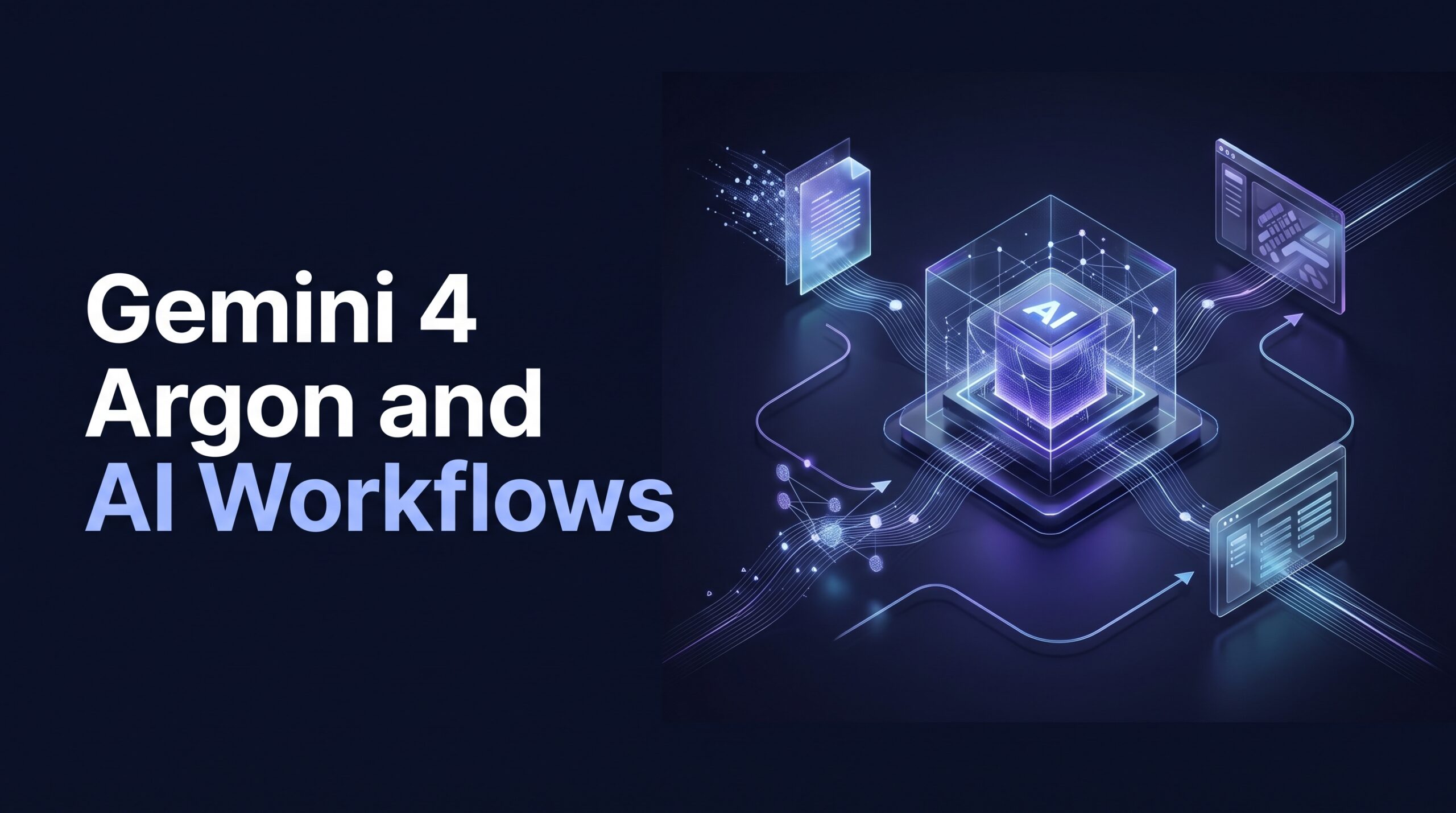
The practical difference is that Argon is designed for work that may require several connected decisions. Instead of asking an AI to summarize a report and then manually organizing everything yourself, you could design a workflow that gathers the information, extracts findings, drafts a report, and sends it for review.
That workflow still needs to be configured. A capable model does not automatically connect your applications, receive the right permissions, or understand every business rule.
How AI Workflows Work
An AI workflow is a sequence of steps that uses artificial intelligence to help complete a task. Depending on the system, some steps may be automated while others require a person to review or approve the result.
A simple workflow might look like this:
- Trigger: A new customer email arrives.
- Input: The system reads the message and relevant approved information.
- AI processing: The model identifies the customer’s problem and drafts a response.
- Verification: The system checks required fields, or a staff member reviews the response.
- Action: The approved response is sent or the request is forwarded to the appropriate team.
A workflow like this combines a model with software integrations, business rules, and permissions. The model handles tasks such as interpreting language or generating a draft, while the surrounding application determines which actions can actually be performed.
Google offers workflow capabilities through products such as Gemini Enterprise. However, availability and functionality depend on the product, account, and integration. Do not assume that every Gemini Enterprise feature is automatically included in every Gemini 4 Argon API setup.
The same principle applies to other AI systems: the model is one part of the workflow, not the entire system.
Three Practical Gemini 4 Argon Workflow Examples
The following examples illustrate how businesses could design workflows around a capable reasoning model. They are proposed implementations, not claims that these exact workflows have been independently tested with Argon.
1. Business Research and Report Preparation
Preparing a business report can involve reading several documents, checking figures, comparing findings, and presenting the results in a format that other people can understand.
An AI-assisted workflow could help with much of this preparation.
For example, a small consulting business might use a workflow that:
- Collects approved reports and research documents.
- Extracts important figures, dates, and findings.
- Compares information across the documents.
- Drafts a summary with references to the original sources.
- Flags missing information or conflicting figures for review.
The result could be a useful first draft instead of a blank document that an analyst must build from scratch.
There is an important limitation, though. A polished report can still contain an incorrect figure or a conclusion that the source material does not support. AI-generated references also need to be checked against the actual documents.
For financial, legal, or other high-impact work, a qualified person should verify the underlying evidence before the report is used to make decisions.
How to measure success: Track preparation time, factual accuracy, citation quality, and the cost of producing an approved report. A workflow is only useful if it improves the final result, not merely if it generates text quickly.
2. Software Development and Code Review
Software engineering is another area where multi-step AI assistance could be valuable.
A developer might need to understand an unfamiliar codebase, identify the source of a bug, propose a fix, write tests, and explain the changes to the rest of the team.
An AI-assisted workflow could organize these tasks into a repeatable process.
Step 1: Analyze the issue. Provide the model with the bug description, relevant code, and expected behavior.
Step 2: Develop a plan. Ask it to identify likely causes and explain the proposed fix before modifying anything.
Step 3: Generate changes. Have the development environment apply the proposed changes in a separate branch or controlled workspace.
Step 4: Run tests. Execute the project’s automated tests, static analysis, and appropriate security checks.
Step 5: Review the result. A developer checks the changes, investigates failures, and decides whether the code is ready to merge.
Google has reported strong performance for Argon on DeepSWE v1.1, a benchmark for real-world software engineering tasks. That is useful evidence of performance on a particular evaluation, but it does not establish that Argon will improve every development team’s productivity.
Real-world results depend on the codebase, the quality of the task description, available tools, and the team’s testing practices.
For developers, the best starting point is a bounded task, such as generating unit tests, explaining a difficult function, or suggesting a fix for a reproducible bug. Giving an AI unrestricted access to a production environment is a much bigger decision.
3. Customer Support and Request Triage
Customer support teams receive messages that vary widely in complexity. Some customers need basic product information, while others report billing problems, technical errors, or sensitive account issues.
An AI workflow could help categorize these messages and prepare them for the right person.
For example, the workflow might:
- Receive a new support request.
- Classify it by topic and urgency.
- Retrieve relevant information from approved knowledge-base articles.
- Draft a response using that information.
- Route the request to a human when the issue is sensitive, uncertain, or outside the system’s permissions.
This approach can reduce repetitive preparation work while keeping staff involved in decisions that need judgment.
The workflow should not invent refund policies, promise compensation without authorization, or expose customer information to systems that do not need it. Account changes, payments, and other consequential actions should have clear permission rules and appropriate approval requirements.
Businesses should measure correct routing, response quality, escalation rates, and actual resolution time. The number of automated replies alone is not a meaningful measure of success.
Gemini 4 Argon Availability and Pricing
Access matters because a model’s advertised capabilities are not necessarily available through every product or account.
Google announced Gemini 4 Argon on September 30, initially describing a phased rollout through its Fairwind Program for trusted cybersecurity defenders. On October 13, Google announced availability through Google Cloud for business and developer use.
Check the official Google Cloud announcement and the Gemini model announcement for current access conditions.
Understanding API costs
Google announced the following introductory API rates for Argon:
| Token type | Introductory rate | Standard rate after November 30, 2026 |
|---|---|---|
| Input tokens | $2 per million | $4 per million |
| Output tokens | $10 per million | $20 per million |
These are the announced token rates, not a complete estimate of the cost of running a business workflow. Check the official pricing terms for applicable conditions and any additional charges.
To understand how token pricing works, consider an illustrative task that uses 100,000 input tokens and 20,000 output tokens.
At the introductory rates:
- Input cost: 0.1 million × $2 = $0.20
- Output cost: 0.02 million × $10 = $0.20
- Total model-token cost: $0.40
This is a simplified calculation, not a measured Argon workflow cost. Actual usage can vary, and the example excludes integrations, repeated attempts, external services, and human review.
A workflow that produces an incorrect answer may also require extra time to investigate and repair the result. That is why cost per successful task is more useful than token price alone.
Before adopting Argon, confirm the current rates, account eligibility, model availability, and any product-specific usage limits.
How to Evaluate an AI Workflow Before Using It
A successful demonstration is not enough to establish that a workflow is reliable. Businesses should test it against realistic tasks before relying on it for important work.
Here is a practical evaluation process.
1. Start With One Clearly Defined Task
Avoid trying to automate an entire department at once.
Choose a repetitive task with a clear starting point and a measurable outcome. Examples include categorizing support requests, extracting information from invoices, or drafting summaries from approved documents.
Define what a correct result looks like before building the workflow.
2. Test It With Realistic Examples
Prepare a test set that includes normal cases, incomplete information, conflicting details, and unusual requests.
Check whether the workflow handles these situations appropriately. It should recognize when information is missing instead of filling the gaps with unsupported assumptions.
3. Measure Quality, Time, and Cost
Record how often the workflow produces an acceptable result, how much human correction it requires, how long the task takes, and what it costs.
Compare these measurements with the existing process. If the AI system saves five minutes but introduces errors that take ten minutes to correct, the apparent productivity gain is misleading.
4. Set Permission and Approval Boundaries
A workflow should only have access to the information and actions it needs.
For example, a research assistant may need permission to read a set of approved documents but should not automatically have permission to email customers, modify financial records, or deploy software.
Require human approval for actions with significant financial, legal, operational, or security consequences. Keep logs of important actions so that problems can be investigated later.
5. Review the Workflow Regularly
Business processes change. Documents become outdated, software integrations break, and a model update may affect the quality of its outputs.
Review the workflow periodically, monitor failures, and rerun tests after important changes. Automation should not mean abandoning supervision.
For broader guidance on AI risk management, the NIST AI Risk Management Framework provides a useful starting point for identifying and managing risks throughout an AI system’s lifecycle.
Security Considerations for AI Workflows
Giving an AI system the ability to use tools creates risks that do not exist in a simple question-and-answer interaction.
A model connected to email, company documents, databases, or software repositories may encounter malicious instructions embedded in external content. It may also misunderstand a request, select the wrong record, or suggest an action that violates a business rule.
Several safeguards are worth implementing from the beginning:
- Limit access: Give the workflow only the permissions required for its task.
- Protect sensitive information: Avoid sending confidential data to services that are not approved for that information.
- Validate actions: Check important parameters before a tool executes a request.
- Require approval: Keep a human in control of sensitive or irreversible actions.
- Maintain an audit trail: Record significant operations and approval decisions.
- Test failure scenarios: Check how the workflow behaves when information is incomplete, misleading, or malicious.
Argon’s focus on cybersecurity defense does not make every application built with it secure by default. Security depends on the complete system, including the model, integrations, permissions, monitoring, and the people responsible for operating it.
Businesses handling regulated or sensitive information should also review applicable contractual, privacy, and compliance requirements before implementation.
Is Gemini 4 Argon Right for Your Business?
Gemini 4 Argon is worth evaluating if your work involves complex research, software engineering, or other tasks that require multiple connected steps and careful use of information.
However, a more capable model is not automatically the best choice for every task.
A simple rule-based process may be cheaper and more predictable for routine work. A smaller or faster AI model may be sufficient for basic classification or straightforward drafting. Argon may be worth testing when a task requires deeper reasoning or extended context, provided that the improvement justifies the cost.
Consider these questions before deciding:
- Does the task require reasoning across several steps?
- Can you define what a successful result looks like?
- Can you test the system using realistic examples?
- Are the required integrations and permissions available?
- Does the expected improvement justify the total cost?
- Can a person intervene when the system is uncertain or makes a mistake?
If the answers are clear, begin with a small pilot. Compare the results against your current process and expand only when the evidence supports it.
Gemini 4 Argon reflects a broader shift in AI: moving from systems that primarily generate answers toward systems designed to support more complex, multi-step work.
For businesses, the opportunity is not simply to automate as much as possible. It is to identify tasks where AI can reduce repetitive effort, improve consistency, or help people work through difficult information more efficiently.
Research preparation, software development assistance, and customer support triage are reasonable places to explore these possibilities. Each still requires testing, appropriate permissions, and human oversight.
The smartest way to approach Gemini 4 Argon is to start with one specific problem, measure the results, and expand only when the workflow proves useful. AI capability matters, but reliable execution is what makes automation valuable.
Sources and Further Reading
- Google DeepMind — Introducing Gemini 4 Argon
- Google Cloud — Gemini 4 Argon Availability and Business Applications
- Google DeepMind — Gemini 4 Argon Model Card
- Google AI for Developers — Gemini API Tools
- Google Cloud — Gemini Enterprise Workflow Builder
- Google AI for Developers — API Pricing
- NIST — AI Risk Management Framework