A client sends you a 20-minute meeting recording.
Now you need to listen to it, write down the important points, figure out what needs to be done, send a follow-up email, and somehow get back to the actual project.
None of those tasks are particularly difficult. But together, they can take a surprising amount of time.
This is one of the areas where AI tools can genuinely help freelancers.
The idea isn’t to hand your entire business over to AI. It’s much simpler than that: use AI to get through repetitive work faster, so you have more time for the work clients actually hired you to do.
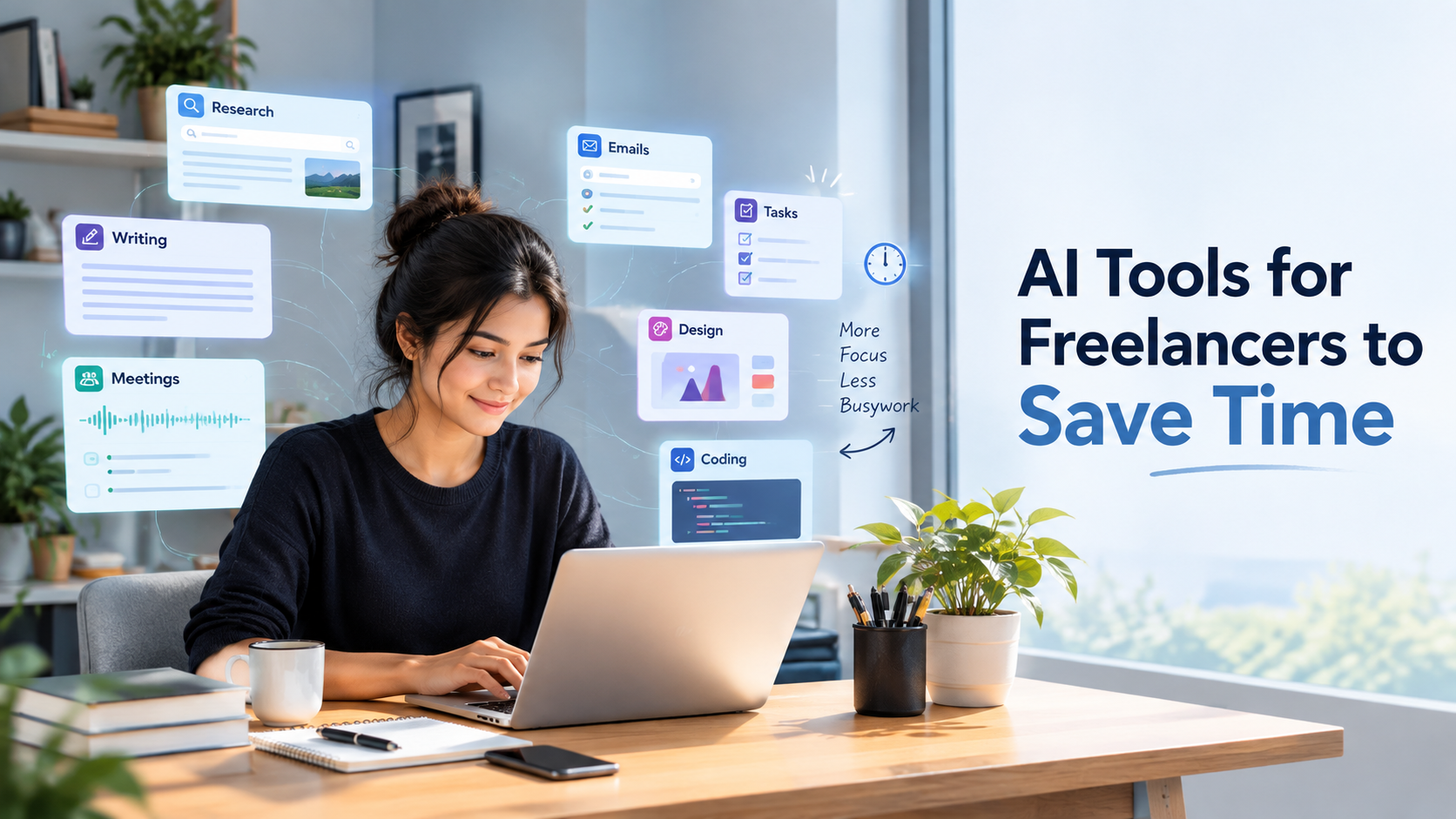
From research and writing to meetings, design, project management, and coding, here are some AI tools that can make everyday freelance work a little easier.
1. ChatGPT: Your Starting Point When You’re Stuck
Sometimes the hardest part of a project is simply getting started.
You know what the client wants, but you’re staring at an empty document trying to figure out the first paragraph, the right structure, or even the questions you should ask.
That’s where ChatGPT can be useful.
A freelancer can use it to brainstorm ideas, turn a client brief into an outline, prepare interview questions, draft a routine email, create a checklist, or organize messy notes.
For example, imagine a client gives a copywriter a long brief for a new website. Instead of immediately trying to turn all that information into polished copy, the freelancer could use ChatGPT to pull out the main requirements and create a rough page structure.
That doesn’t mean the AI has written the final work.
It has simply removed the “where do I start?” part.
And that’s often where the real time saving happens.
2. Perplexity: Spend Less Time Figuring Out Where to Look
Research can become a rabbit hole.
You search for one thing, open five tabs, follow another link, and suddenly half an hour has disappeared without you actually writing anything.
Perplexity can help with that first stage of research by giving you a starting point and pointing you toward relevant sources.
Let’s say you’re a freelance writer working on an article about AI in e-commerce. You can use Perplexity to understand the topic, find recent developments, and identify sources worth opening.
But there’s an important second step: check those sources yourself.
AI can help you find information, but that doesn’t automatically make the information accurate. Open the original source before using an important statistic, quotation, date, or claim in paid work.
Think of Perplexity as a shortcut to the research desk—not the final authority.
3. Grammarly: The Extra Pair of Eyes
You’ve finished an article. You read it once. Everything looks fine.
Then you send it to the client and notice a typo.
We’ve all been there.
Grammarly can provide a quick editing pass for grammar, spelling, clarity, tone, and wording. Freelancers can use it for articles, proposals, emails, website copy, and other everyday writing.
It’s particularly useful when you’re working quickly and don’t want small mistakes distracting from otherwise good work.
Still, don’t blindly accept every suggestion.
A sentence can be grammatically perfect and still sound completely wrong for a particular client or audience. Your judgment should remain the final filter.
4. Otter.ai: Let AI Take the Meeting Notes
Client calls are important. Taking notes during them isn’t always easy.
You’re trying to listen to what the client is saying while also remembering deadlines, requirements, changes, and questions.
Otter.ai can record and transcribe meetings, then turn conversations into summaries and action items.
For a freelance web designer, for example, a client kickoff call could become a useful starting point for a project checklist and follow-up email.
That means you can concentrate more on the conversation instead of trying to write down every sentence.
There is one thing you shouldn’t overlook: consent and privacy. If you’re recording or transcribing a call, make sure everyone involved knows about it and that you’re following the relevant requirements.
5. Canva AI: Create the First Version Faster
Freelancers don’t always have the luxury of having a designer for every small visual task.
A social media post may need a graphic. A blog post might need a promotional image. A client presentation needs to look presentable.
Canva and its AI features can speed up these smaller design jobs by helping with layouts, variations, and first-pass visuals.
For instance, a virtual assistant could take an approved blog post and turn it into a LinkedIn graphic, Pinterest design, and newsletter banner without building each one completely from scratch.
The important word here is first-pass.
AI can help you get somewhere faster, but you still need to check the branding, text, layout, accessibility, and overall quality before delivering the work.
6. ClickUp Brain: Turn Messy Notes Into Actual Tasks
Managing freelance work becomes harder when you have several clients at the same time.
One client needs a website update. Another needs social posts. Someone else is waiting for a proposal.
And somewhere in between, you’ve got a page full of notes from yesterday’s meetings.
ClickUp Brain can help turn rough information into tasks, summaries, project updates, and next steps.
For example, after a client call, you could use the notes to create a starting task list and then personally check the deadlines, priorities, and dependencies.
It’s not about letting AI decide what’s important.
It’s about getting the messy first version organized faster.
7. GitHub Copilot: A Shortcut for Repetitive Coding
For freelance developers, not every coding task requires deep problem-solving.
Sometimes you are writing boilerplate, creating test drafts, explaining an unfamiliar function, or working through a routine piece of code.
GitHub Copilot can help generate starting points for these tasks and assist with code explanations, tests, refactoring, and debugging.
For example, instead of manually creating the basic structure for a set of tests, a developer can ask Copilot for a starting version and then review and adapt it.
That last part matters.
Generated code isn’t automatically production-ready code.
It still needs to be tested, reviewed for security issues, checked for compatibility, and understood by the developer using it.
You Don’t Need an AI Tool for Everything
Here’s something that’s easy to forget when you’re looking at lists of AI tools:
More tools don’t automatically mean more productivity.
A freelancer can end up spending more time switching between subscriptions and learning new dashboards than actually saving time.
A writer might be perfectly fine with:
Perplexity → research
ChatGPT → ideas and structure
Grammarly → editing
A virtual assistant might get more value from:
ChatGPT → content and communication
Canva → visuals
ClickUp → project organization
And a developer might build a simple workflow around:
GitHub Copilot → coding assistance
ChatGPT/Perplexity → explanations and research
Start with the tasks that repeatedly slow you down. Find a tool that helps with one of them. If it genuinely saves time, keep it.
You don’t need an AI-powered version of every part of your life.
What Should You Still Do Yourself?
This is probably the most important part of using AI as a freelancer.
AI can produce a draft in seconds. That doesn’t mean the draft is ready to send to a client.
It can get a fact wrong. It can misunderstand a requirement. It can turn a tentative deadline into a confirmed one. It can produce writing that sounds polished but says very little.
The research behind these tools also highlights concerns around inaccurate information, generic output, confidentiality, and over-reliance.
So keep the important parts human.
Verify the research.
Check the numbers.
Read the client email before sending it.
Test the code.
Review the meeting summary.
Make sure the final work actually sounds like you—or your client.
And be careful with confidential information. Private client documents, credentials, customer data, unreleased plans, and proprietary code shouldn’t be casually pasted into an AI tool without checking its privacy settings and the client’s requirements.
A Simple AI Workflow for Freelancers
You don’t need a complicated system to start.
Try something like this:
Research: Use Perplexity to find useful sources and understand the topic.
Plan: Use ChatGPT to turn the information into an outline or list of possible approaches.
Work: Use the appropriate tool for repetitive tasks—Otter for meeting notes, Canva for simple visuals, ClickUp for organization, or Copilot for coding.
Review: Check everything yourself.
Deliver: Make the final decisions, edits, and client communication human.
That last step is what keeps AI useful instead of letting it take over your workflow.
Use AI to move faster—not to stop thinking.