
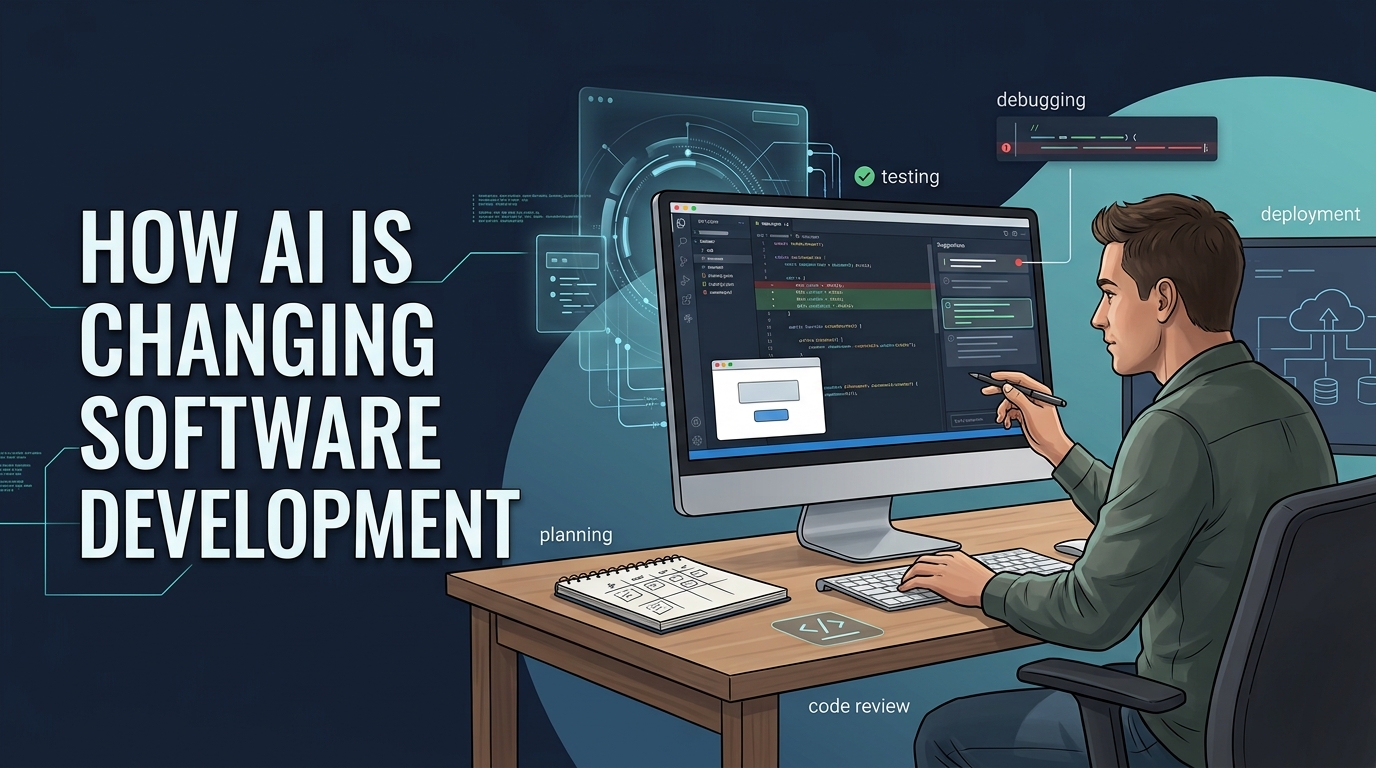
Artificial intelligence is changing software development, but not in the dramatic way many headlines suggest. AI is not simply replacing programmers or writing entire applications without human involvement. Instead, it is becoming a coding partner that helps developers plan, build, test, debug, document, and maintain software more efficiently.
From GitHub Copilot and ChatGPT to Claude, Gemini, Cursor, and newer coding agents, AI tools are becoming part of everyday development workflows. Developers can now describe a feature in plain language, generate a first version of the code, ask questions about an unfamiliar codebase, create tests, investigate bugs, and receive feedback on a pull request.
The most important change is not that AI can produce code. It is that AI is changing how developers spend their time. Routine implementation is becoming faster, while architecture, testing, debugging, security, and technical judgment are becoming even more important.
AI Is Becoming Part of the Entire Development Lifecycle
Software development involves much more than writing code. A typical project includes planning, requirements gathering, design, implementation, testing, code review, deployment, documentation, and maintenance.
AI tools are now involved in nearly every stage of this process.
A developer might use AI to turn a product requirement into user stories, break a large feature into smaller tasks, suggest an API design, create a database schema, generate frontend components, write unit tests, explain an error message, and draft documentation.
This changes the traditional development process. In the past, developers often spent a large amount of time searching documentation, writing repetitive code, and investigating basic errors. AI can reduce some of that work, allowing developers to focus more on decisions that require context and judgment.
But AI-generated output is still only a starting point. A polished answer can be based on a wrong assumption, an outdated library, or an insecure coding pattern. Developers remain responsible for checking whether the result is correct and suitable for production.
AI-Assisted Coding and Code Generation
The most visible use of AI in software development is code generation.
Tools such as GitHub Copilot, ChatGPT, Claude, Gemini, and Cursor can generate functions, classes, API endpoints, SQL queries, configuration files, test cases, and user-interface components. Developers can write a short instruction such as:
“Create a REST API endpoint that allows authenticated users to update their profile, validates the email address, and returns a clear error response.”
The AI can produce an initial implementation within seconds.
This is especially useful for repetitive and predictable tasks, including:
- Creating boilerplate code.
- Writing data models and serializers.
- Generating API clients.
- Creating form components.
- Converting code from one language to another.
- Adding type definitions.
- Writing basic unit tests.
- Producing mock data.
- Creating configuration files.
- Updating similar code across multiple files.
AI code completion can also help developers remain focused. Instead of switching between an editor, search engine, documentation, and code examples, they can ask questions directly within the development environment.
On the other hand generated code is not automatically reliable. It may compile successfully while still containing logical errors, missing validation, weak error handling, or security vulnerabilities. Developers need to understand the code before accepting it.
From Autocomplete to Coding Agents
Early AI coding tools mainly predicted the next line or completed a function. Modern tools are moving toward agent-based development.
A coding agent can often:
- Read a software repository.
- Understand the task described in an issue.
- Create an implementation plan.
- Modify several files.
- Run tests and other commands.
- Analyze failed tests.
- Make additional changes.
- Prepare a pull request for review.
GitHub Copilot now includes agent-oriented features for planning, editing, testing, and reviewing code. OpenAI’s Codex has also been positioned as a software engineering agent that can work on repository tasks in a controlled environment. These tools show where AI-assisted development is heading: away from isolated code snippets and toward delegated engineering tasks.[docs.github][openai]
This does not mean developers can simply assign an issue to an AI system and walk away. Agents need clear instructions, appropriate permissions, reliable tests, and human review. The more authority an agent has, the greater the need for safeguards.
AI-Powered Debugging and Testing
Debugging is one of the areas where AI can be particularly useful.
Developers can provide an error message, stack trace, code sample, and expected behavior. The AI can then suggest possible causes and recommend ways to investigate the problem.
AI can help with:
- Explaining compiler errors.
- Understanding stack traces.
- Finding suspicious code paths.
- Suggesting bug fixes.
- Comparing working and failing versions.
- Generating regression tests.
- Explaining failed CI builds.
- Analyzing application logs.
- Identifying missing error handling.
For example, if an API returns a 500 error only when a particular field is empty, an AI assistant may suggest checking validation, database constraints, serialization, and exception handling. It can provide a useful list of hypotheses faster than a developer searching through unrelated documentation.
AI is also being used to generate tests. It can create unit tests, integration tests, test fixtures, mocks, and edge cases based on an existing function or feature.
Though, there is an important difference between generating tests and generating good tests. AI may produce tests that simply confirm what the current code already does instead of checking what the software is supposed to do. Developers need to review test assertions and ensure that the tests cover invalid input, permissions, timeouts, empty results, retries, and other failure scenarios.
AI in Code Review
Code review is another area where AI tools are becoming useful.
An AI reviewer can scan a pull request and comment on:
- Potential bugs.
- Missing tests.
- Security problems.
- Duplicate logic.
- Inconsistent coding patterns.
- Poor error handling.
- Possible performance issues.
- Unclear or outdated documentation.
This can provide fast feedback before a human reviewer examines the change. It is particularly useful for catching obvious issues and reducing the amount of repetitive review work.
Still, AI review has limitations. It may focus on formatting while missing a business-rule error. It may suggest a change that looks cleaner but breaks an important system assumption. It may also produce too many low-value comments, creating noise for development teams.
Human code review remains important because reviewers understand the product, the users, the architecture, and the consequences of a change. AI can be an additional reviewer, but it should not be treated as the final authority.
AI for Documentation, Refactoring, and Project Planning
Many development teams struggle to keep documentation up to date. AI can reduce the effort required to create and maintain technical documents.
Developers can use AI to draft:
- README files.
- API documentation.
- Release notes.
- Migration guides.
- Architecture summaries.
- Pull-request descriptions.
- Function comments.
- Onboarding material.
- Changelogs.
AI can also explain unfamiliar parts of a codebase. This is useful when a developer joins an existing project or works with an old system that has limited documentation.
Refactoring is another practical use case. AI can help rename a concept across a repository, extract repeated logic, modernize older syntax, convert code to a newer framework pattern, or update deprecated APIs.
Project planning is also changing. AI can turn a broad feature request into smaller tasks, identify possible dependencies, suggest risks, and prepare an initial implementation plan.
The limitation is that AI can create a convincing plan for the wrong problem. It may not understand business priorities, compliance requirements, historical decisions, or operational constraints. Human review is necessary before an AI-generated plan becomes a real engineering commitment.
How AI Is Affecting Different Types of Development
Frontend development
Frontend developers use AI to generate components, styles, forms, validation logic, state-management code, and accessibility suggestions.
A developer can ask AI to create loading, empty, error, and success states for a dashboard or convert a component to use an existing design system.
AI is useful for quickly exploring interface ideas, but generated interfaces still require careful review. A page may look good in a screenshot while failing keyboard navigation, screen-reader use, responsive layouts, browser compatibility, or performance requirements.
Backend development
AI can generate backend boilerplate such as routes, controllers, database queries, serializers, validation code, and API documentation.
The more difficult backend decisions involve security and system behavior. Developers still need to decide:
- Who is allowed to access the data?
- What happens if a request is repeated?
- How should transactions behave?
- What happens when a service is unavailable?
- How should sensitive information be protected?
- Can the database handle the expected traffic?
- What happens during a partial failure?
AI can write an endpoint quickly, but it does not automatically understand an organization’s authorization model or operational risks.
Mobile development
Mobile developers can use AI to generate screen layouts, navigation flows, API integration, platform-specific examples, and test cases.
Intelligence can be helpful when working with unfamiliar Android or iOS APIs. However, mobile software must be tested on real devices and across different operating-system versions. Issues involving permissions, offline mode, battery usage, background tasks, lifecycle events, and limited memory may not be obvious in generated code.
Full-stack development
AI makes it easier for developers to work across the frontend, backend, database, and deployment layers.
A developer can describe a feature and ask AI to create the database migration, backend endpoint, frontend form, validation logic, and tests. This can be valuable for prototypes and small teams.
The risk is that AI may connect all the layers without designing them well. Validation could be different on the frontend and backend. Business logic could be duplicated. Authorization could be incomplete. A feature may work in a local environment but fail in production.
Full-stack speed is useful only when the complete user journey is tested.
The Productivity Benefits Are Real—but Not Universal
AI coding assistants can save time, particularly on repetitive and well-defined work.
Stack Overflow’s 2025 Developer Survey found that 84% of respondents were using or planning to use AI tools in their development process. The survey included more than 49,000 responses from 177 countries. It also found that many developers were frustrated by AI output that was “almost right, but not quite.”[survey.stackoverflow][stackoverflow]
GitHub and Microsoft reported in a controlled 2023 experiment that developers using Copilot completed a defined JavaScript task 55.8% faster than those who did not use it. This suggests that AI can provide substantial benefits for specific, bounded tasks.[microsoft]
However, productivity results vary. A 2025 METR study examined experienced open-source developers working on their own complex repositories. Surprisingly, developers using early-2025 AI tools took 19% longer on the assigned tasks, even though they expected AI to make them faster.[metr]
These findings are not necessarily contradictory. AI may be highly effective for boilerplate or unfamiliar API examples, while being less effective in complex codebases where developers must spend significant time reviewing, correcting, and integrating generated changes.
The real question is not whether AI makes developers faster in general. It is:
Faster at which task, in which codebase, with which developer, and measured by what outcome?
A developer may type code faster but spend more time debugging it. A team may release more features but also introduce more incidents. The best productivity measures include quality, reliability, maintenance effort, and customer value—not just lines of code.
The Problems Developers Need to Watch
Incorrect code
AI can create code that looks professional but contains logical errors. It may mishandle edge cases, ignore failure conditions, or make assumptions about the input data.
Hallucinated APIs
AI may invent a function, library method, configuration option, or package that does not exist. This is especially likely when a framework has changed or the model lacks access to current documentation.
Outdated suggestions
AI can recommend older syntax, deprecated libraries, or insecure practices. Developers should provide exact versions and verify unfamiliar recommendations against official documentation.
Security vulnerabilities
Generated code can include SQL injection, cross-site scripting, weak authentication, insecure file handling, poor input validation, and unsafe cryptographic practices.
NIST’s 2024 guidance on secure software development for generative AI recommends extending secure-development practices to account for AI-specific risks. Developers should still use security testing, dependency scanning, access-control reviews, and threat modeling.[csrc.nist]
Dependency problems
AI may suggest a package that is abandoned, vulnerable, unnecessary, or incompatible with the project’s license. Developers should check package health, version history, security advisories, and transitive dependencies before adding anything.
Over-reliance
The greatest risk may be accepting code without understanding it.
If developers rely on AI for every solution, they may become less capable of debugging production failures, reviewing architecture, spotting security weaknesses, or maintaining the system later.
Stack Overflow’s 2025 survey reported that 45% of developers said debugging AI-generated code could take more time than writing the code themselves.[stackoverflow]
Why Programming Fundamentals Still Matter
AI has not made programming fundamentals less important. In many ways, it has made them more important.
A developer who understands algorithms, data structures, databases, networking, security, testing, and architecture can use AI effectively. They can identify weak suggestions, ask better questions, and verify results quickly.
A developer who does not understand those fundamentals may accept code that works only in a simple example.
Developers still need to understand:
- How data moves through a system.
- How APIs and databases behave.
- How authentication differs from authorization.
- How concurrency creates race conditions.
- How transactions and consistency work.
- How to design useful tests.
- How software fails in production.
- How to review a change for security and maintainability.
AI can provide an answer, but it cannot take responsibility for whether the answer is appropriate.
Beginners and Experienced Developers Use AI Differently
Beginners can use AI as a teacher and coding partner. Instead of asking for a complete application, they can ask for explanations, hints, exercises, test cases, and feedback on their own attempts.
A useful beginner workflow is:
- Try to solve the problem independently.
- Ask AI for a hint rather than the complete solution.
- Implement the change.
- Ask AI to review the result.
- Write and run tests.
- Explain the code without looking at the generated answer.
This approach helps beginners build understanding instead of simply copying code.
Experienced developers can use AI to explore design alternatives, navigate unfamiliar repositories, automate repetitive refactoring, investigate incidents, generate tests, and delegate bounded tasks to coding agents.
Their advantage is not just greater knowledge of programming syntax. Experienced developers understand system boundaries, hidden assumptions, operational risks, and long-term maintenance costs.
Is AI Replacing Software Developers?
AI is replacing some types of software work, but that is different from replacing software developers entirely.
AI is highly effective at reducing the time spent on:
- Boilerplate code.
- Basic documentation.
- Simple test generation.
- Routine refactoring.
- Code translation.
- Repository search.
- Small bug fixes.
- Initial project scaffolding.
AI is much less capable of independently handling:
- Ambiguous product requirements.
- Architecture under competing constraints.
- Security and compliance decisions.
- Long-term maintenance.
- Stakeholder communication.
- Novel systems with limited examples.
- Accountability for production outcomes.
The role of developers is changing from writing every line manually to directing, evaluating, testing, and maintaining systems that may include AI-generated code.
Developers will spend less time on some repetitive implementation tasks and more time on architecture, technical decisions, verification, security, and system-level thinking.
What Comes Next?
The next phase of AI-assisted software development will focus on coding agents that can work across the entire development workflow.
Future tools will likely become better at:
- Understanding complete repositories.
- Following project-specific instructions.
- Planning before editing.
- Running tests and fixing failures.
- Updating documentation automatically.
- Reviewing pull requests.
- Connecting issues, code, CI systems, and deployments.
- Explaining why a change was made.
- Detecting security and dependency risks.
As code generation becomes cheaper, verification will become more important. Companies will need strong automated tests, static analysis, security scanning, observability, code ownership, and audit trails.
The teams that benefit most from AI will not necessarily be the teams that generate the most code. They will be the teams with clear requirements, strong engineering practices, reliable tests, and a culture of careful review.
AI is changing software development, but it is not removing the need for software developers.
The best way to think about tools such as GitHub Copilot, ChatGPT, Claude, Gemini, Cursor, and coding agents is as powerful assistants. They can help developers move faster, explore ideas, reduce repetitive work, and understand complex codebases.
But AI-generated code still needs human direction and verification. Developers must decide what to build, how it should work, whether it is secure, and whether it can be maintained over time.
The future of software development will not belong simply to people who write the most code or use the most advanced AI tool. It will belong to developers who know how to combine AI’s speed with human reasoning, technical fundamentals, and responsible engineering judgment.